https://youtube.com/shorts/BJpPYAj3lBU?feature=share
retrieve call from “monitor call park”: call is made from parking lot number 701 to phone
retrieve call from “call park”: call is in hold mode, call number not shown, after retrieve, call is still made from caller to phone
Sangoma seems have a special feature for call parking lot
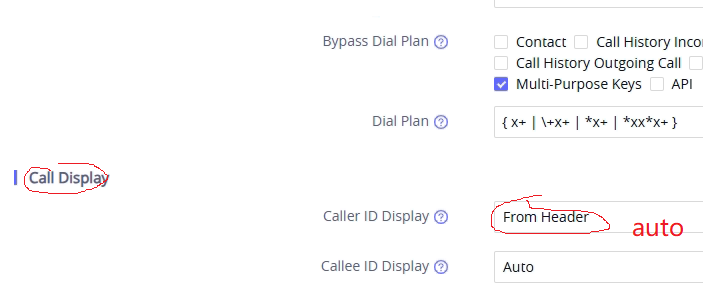
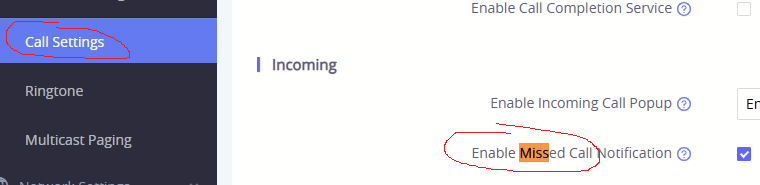
I’m a bit of a noob to full-flavor FreePBX (coming from several years installing Grandstream UCMs), and have a question about the Parking Lot Pro module. We recently migrated a large (500+ endpoint) customer from a failing Grandstream UCM to a FreePBX, and in general it has been a very positive change. However, now that the dust has settled from the initial install, the customer is asking about getting some of their old functionality back. In short, they’d like mapped parking keys (on GXP2160 phones) to show the Caller ID of the call assigned to each lot (something that worked natively with Grandstream)
yealink has a screen capture function:
http://device.ip/screencapture
asterisk -rx ‘core show hints”
pcap file trace
school announcement center
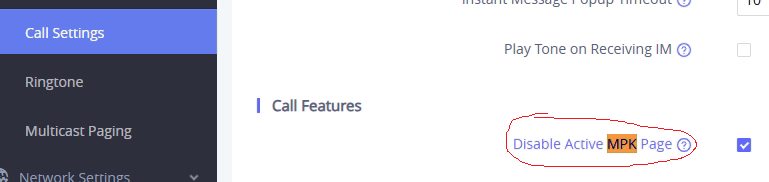
Or P6764=1 , otherwise, sidebar display auto change page if monitor status change, which annoying for reception
https://youtube.com/shorts/JkwGgYJ1iJQ?feature=share
for the above issue, check 201 and 202 phone settings
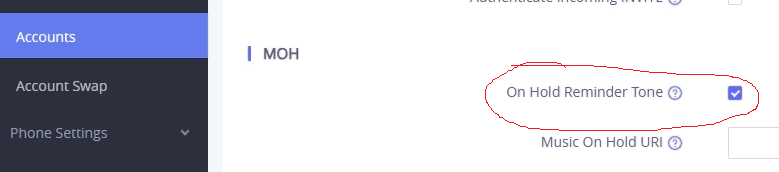
account -> advanced -> moh