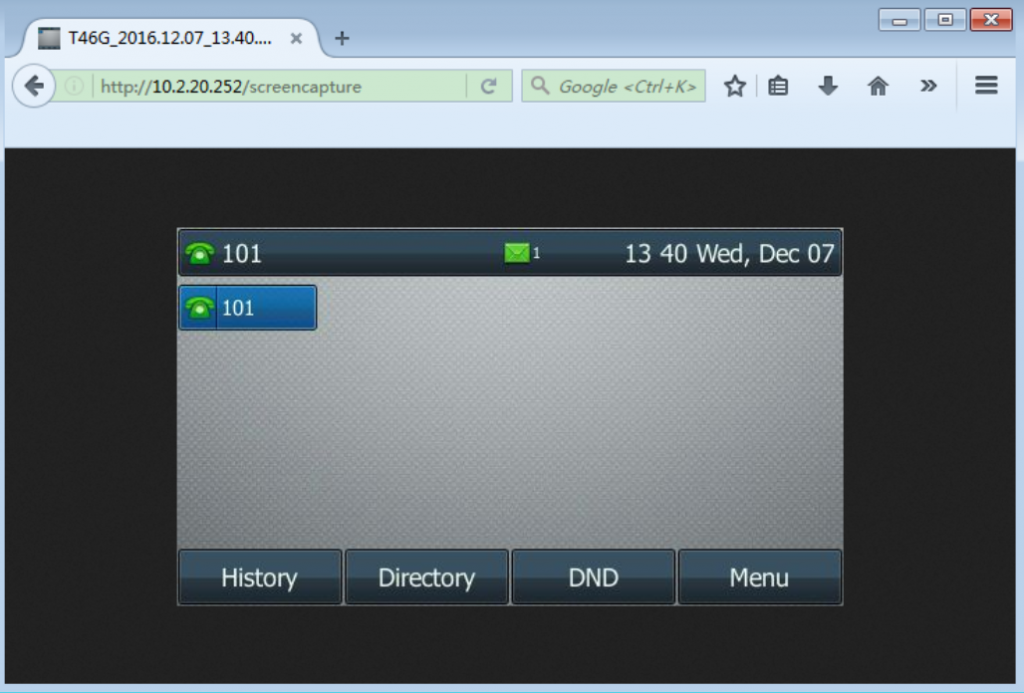
You can capture the screen display of the IP phone using the action URI. The phones can handle an HTTP or HTTPS GET request. The URI format is http(s)://
<phoneIPAddress>/screencapture. The captured picture is saved as a BMP or JPEG file.You can also use the URI “http(s)://
<phoneIPAddress>/screencapture/download” to capture the screen display first, and then download the image (which is saved as a JPG file and named with the phone model and the capture time) to the local system Screenshots Users can take screenshots of the GXP2130/GXP2140/GXP2160/GXP2170/GXP2135 phones, by holding key HOLD and then pressing MENU key, the output will be shown on the phone webGUI under “Status → System Info” as shown in the figure below.